Agenda
Workshop AgendaLab One - Setup and install dependencies
Git
Atlassian has a great tutorial for installing git in various environments. Below are the quick and easy ways.
Windows
Install GitBash using the installer http://git-scm.com/downloads or for more full fledged solution, git for Windows comes with a GUI and Windows Explorer integration.
Mac
It’s probably already installed.
$ git --version
git version 2.9.1
Node
Check if you have node installed. $ node --version
Windows
- Install Node using the installer https://nodejs.org/download/
-
You may need to install Python 2.7.x+ and Microsoft Visual Studio to build node native libraries.
- Restart
Mac
- You can download an installer https://nodejs.org/download/ OR
-
Install via Homebrew
- Check for existing install.
$ brew --version - Install Hombrew as needed http://brew.sh
- Install Node w/ Homebrew.
$ brew install node
- Check for existing install.
Yarn
- Check if you have yarn installed.
$ yarn --version - If Yarn isn’t installed, then add it as a global NPM module:
$ npm install -g yarn
Checkout the Github repository
Fork project from Github: https://github.com/objectpartners/react-redux-timesheet

then clone the new fork!
$ git clone https://github.com/yourusername/react-redux-timesheet.gitYou should get output similar to below:
Cloning into 'react-redux-timesheet'...
remote: Counting objects: 3003, done.
remote: Compressing objects: 100% (1458/1458), done.
remote: Total 3003 (delta 1413), reused 2684 (delta 1256)
Receiving objects: 100% (3003/3003), 1.44 MiB | 1.15 MiB/s, done.
Resolving deltas: 100% (1413/1413), done.
Checking connectivity... done.
Change directories to the lab main directory.
cd react-redux-timesheetNext we need to make sure our dependencies are installed:
$ yarnThe final directory represents the finished state of the application (what we’ll have once we’ve done all of the labs). For each lab, you’ll switch to the corresponding directory which will give you a view of the application at the start of that lab. Go ahead and navigate to the lab-01 directory:
$ cd lab-01Note: these labs technically don’t require yarn - if you would prefer to use NPM you absolutely can, just replace any references to yarn or yarn install with npm install.
You’ll need to install dependencies for each lab individually.
cd lab-01

npm install
Start the local development server
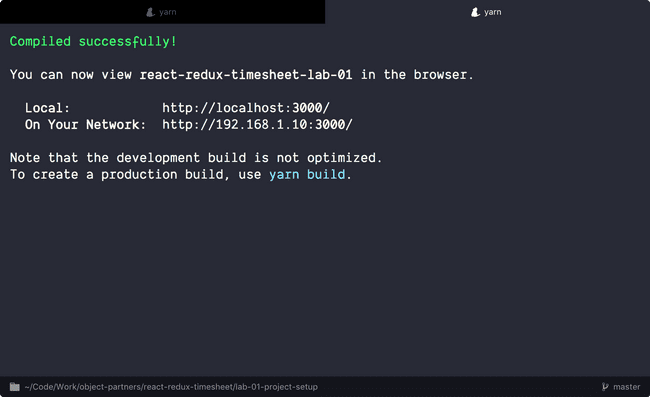
Run the start script
$ yarn start
-
This kicks off a Node server and serves up our
index.htmlpage. -
This is a long running process..it only ends on an error—or killing of the server with Ctrl + C
-
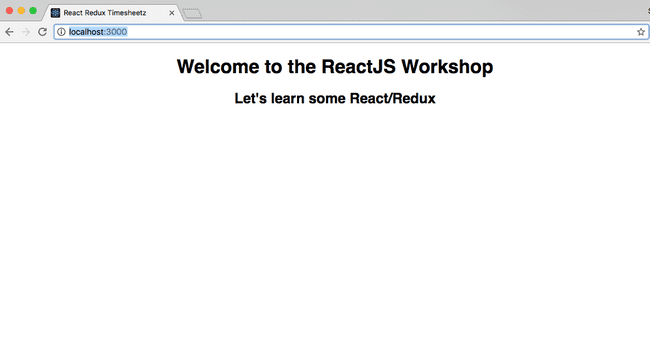
Open your browser and navigate to http://localhost:3000
-
Verify that you see the welcome page.
Troubleshooting
Port Conflicts
The labs assume that you don’t already have apps running on ports 3000 and 3001. If you do we can override the ports in the following way:
react-redux-timesheet
$ PORT=4000 yarn startreact-redux-api (used in later labs)
$ PORT=4001 yarn startThen update the timesheet app to point to that new port and re-launch:
"proxy": "http://localhost:4001",The CLI apps won’t stop with Ctrl-C
Some Windows systems (esp. Windows 10) don’t properly pass Ctrl-C to the command line. Some people report that CTRL-fn-b works in these situations.