Agenda
Workshop AgendaSetup
Prior to attending the workshop, we ask to validate your machine setup so that we can ensure a smooth workshop focused on learning React, not tweaking machine setup!
Validate machine setup
- Please ensure you have all the requested tooling (e.g. git) as specified in setup instructions
- Fork the react-redux-timesheet repo
git clone https://github.com/yourusername/react-redux-timesheet.git && cd react-redux-timesheetnode verify.js
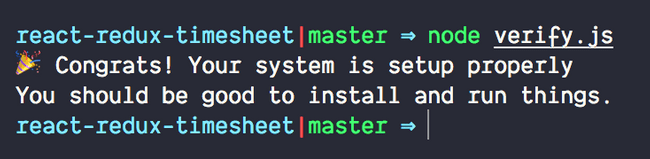
If all goes well, you should see
Adding upstream repo
If you’re feeling extra saucey, we’d also recommend setting up origin and upstream. By default, origin will be set to the copy of the cloned fork, but it is often helpful to set upstream to get updates to the upstream project. To set upstream, simply run the following command:
git remote add upstream https://github.com/objectpartners/react-redux-timesheet.gitand then
git fetch upstreamto fetch the latest content in the upstream repository.
To validate, run git remote -v and you should see a remote and an origin like the below (perhaps using https instead of ssh)

From this point, it can be helpful—but not required—to fetch the finished branch (which contains the finished labs) into your origin/finished like so:
git checkout -b finished upstream/finishedAnd then finally, to get back on the master branch run:
git checkout masterIf needed, you can always run git checkout finished to see the structure and result of the final version and labs.